
SheraBot: an AI integration example
SheraBot / AI workspace / Active development
How SheraBot’s conversation workspace informs a custom AI project: provider connections, streaming states and explicit data responsibilities.
The rebuilt application supports personal provider keys or a configured authenticated proxy. Local history does not sync between accounts or devices.
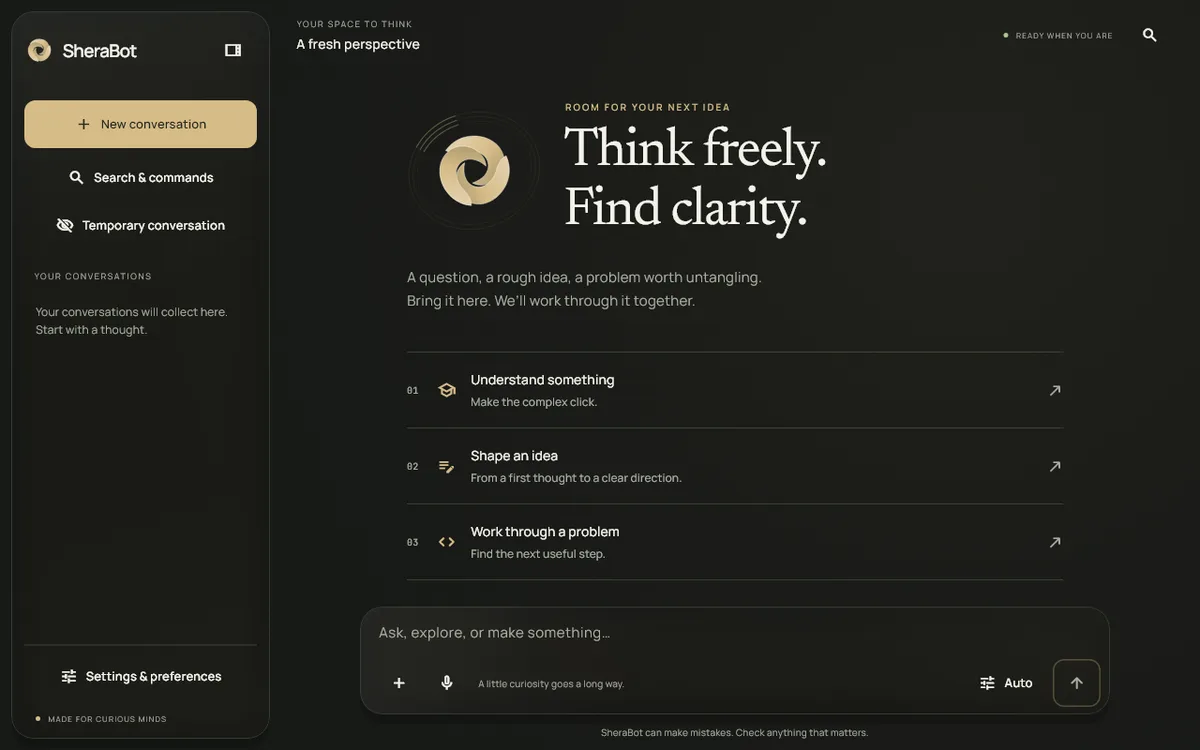 REBUILT APPLICATION / DEVELOPMENT CAPTURE
Actual application capture.
01 / THE PROJECT CONTEXT
The model is one part of the application
A business AI workflow also needs an interface, identity, data handling and failure states. The rebuilt SheraBot workspace demonstrates how provider choice and streaming responses become part of a usable conversation experience. That application work is a practical starting point for discussing a custom integration.
02 / THE PROJECT CONTEXT
Define the information boundary
SheraBot’s rebuilt history is local. Personal provider keys and a configured authenticated proxy are different operating choices. A client project must define its own approved data, account ownership and provider requirements rather than assuming that all AI workspaces share the same storage behaviour.
03 / THE PROJECT CONTEXT
What has been implemented
Streaming conversations, image analysis, provider selection, temporary sessions and export are implemented in the rebuilt development application. Public product-site availability is separate. These are concrete features of the development work, not evidence of a deployed business assistant for an unnamed client.
04 / THE PROJECT CONTEXT
Turn the example into a reviewed scope
A custom AI proposal should identify the task, evaluation questions, allowed knowledge and human review path. The prototype can then demonstrate relevant behaviour before more integrations are added. Provider costs, access controls and ongoing maintenance are decisions for that particular deployment.
Connected reading